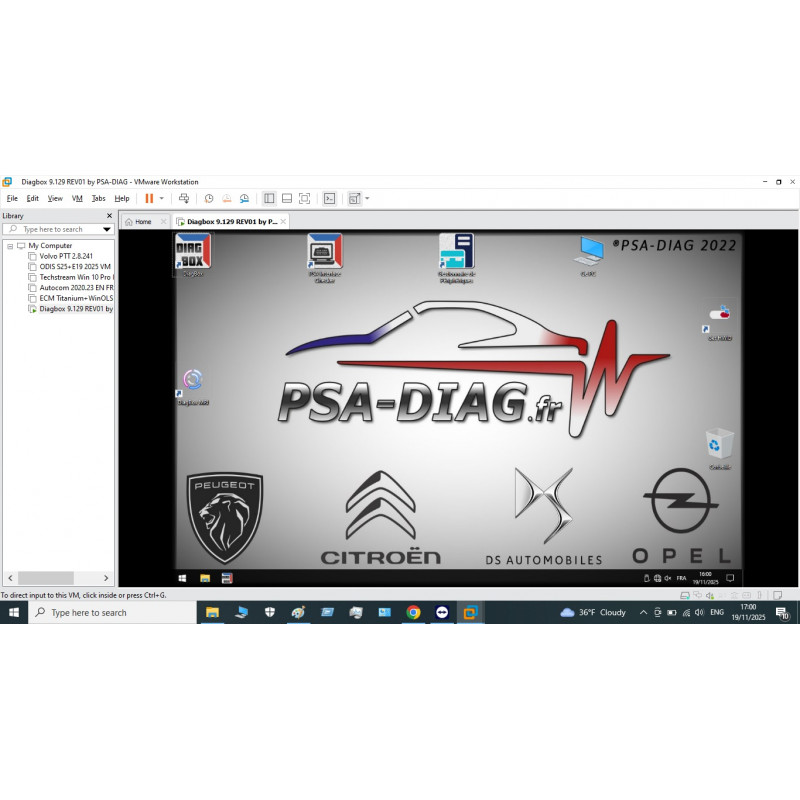
Diagbox Lexia 9.129 Virtual Machine Software | PSA Peugeot Citroën DS & Opel Diagnostics
- Product Code: PSA
- Availability: In Stock
19.00€
- Ex Tax: 19.00€
Diagbox Lexia 9.129 is the official dealer-level diagnostic software from PSA Group (Stellantis) for Peugeot, Citroën, DS, and Opel/Vauxhall PSA-platform vehicles. This pre-configured VMware virtual machine runs on any Windows 10 or 11 PC — no native installation headaches, no compatibility workarounds. Import, connect your Lexia 3 interface, and you have full dealer access within minutes.
Supported Vehicles
- Peugeot: 107, 206, 207, 208, 301, 308, 407, 408, 508, 2008, 3008, 5008, Expert, Partner, Boxer (up to 2022)
- Citroën: C1, C2, C3, C4, C5, C6, C8, Berlingo, Jumpy, Jumper, DS3, DS4, DS5 (up to 2022)
- DS Automobiles: DS3 Crossback, DS4, DS7 Crossback, DS9
- Opel / Vauxhall: Corsa E/F, Astra K, Grandland X, Crossland X (PSA-platform, 2017 onward)
What Diagbox 9.129 Can Do
- Read ECU identification — part number, software/hardware version, calibration, manufacturer data
- Read & clear fault codes — all systems: engine, gearbox, ABS, airbag, BSI, dashboard, climate, and all body modules. Supports printing and clipboard export.
- Auto-Scan (full vehicle scan) — polls every installed ECU and retrieves all stored DTCs in one pass
- Live data (measuring values) — engine RPM, coolant temperature, fuel pressure, lambda sensors, injector pulse widths, and more. View as graphs or list. Data logging to file for offline analysis.
- Actuator tests — activate individual components: injectors, fuel pump, EGR valve, DPF heater, fans, solenoids, door locks, and more
- ECU programming & coding — flash and configure ECUs with PSA calibration files
- BSI configuration & reset — full reconfiguration after BSI replacement; write VIN, mileage, and vehicle options to a new unit
- Airbag reset — clear crash data from the airbag module after accident repair
- DPF forced regeneration — initiate forced regen cycle with live differential pressure and temperature monitoring
- Service interval reset — oil service, brake fluid, air filter, and other maintenance counters
- Key & transponder programming — add new keys, delete lost keys, program remote fobs
- Guided fault-finding (GFF) — step-by-step dealer repair procedures for each DTC
- Brake service (EPB) — retract and re-apply electronic parking brake for rear pad replacement
- Suspension & steering calibration — steering angle sensor reset, active suspension calibration on supported models
Languages Available
English, French, German, Spanish, Portuguese, Italian, Dutch, Polish, Czech, Hungarian, Greek, Swedish, Turkish
Compatible Interfaces
- Lexia 3 PP2000 (USB) — all PSA vehicles, all Diagbox versions
- Diagbox DiagPlug (USB/WiFi) — newer CAN-bus vehicles
- Proxia — professional dealer-grade interface
- J2534 PassThru — CAN protocol vehicles
VMware Virtual Machine — How It Works
Diagbox requires Windows XP or Windows 7. This VMware image contains a pre-configured Windows 7 environment with Diagbox 9.129 already installed, activated, and ready to use. Install VMware Workstation Player (free), import the image, and Diagbox launches automatically — no license management, no driver hunting, no compatibility tweaks.